![Homeroots_Logo_color_2160px.png]](https://kn.homeroots.co/hs-fs/hubfs/Homeroots_Logo_color_2160px.png?height=40&name=Homeroots_Logo_color_2160px.png)
Adding Bulk pricing is a great way to encourage larger order quantities while giving buyers a clear incentive to purchase more.
With bulk pricing, you can:
- Set a lower price per item to drive bulk sales
- Choose the minimum quantity threshold required to qualify for that price
- Apply item-by-item, based on what makes sense for your business
- Click on “Update Products Data In Bulk”
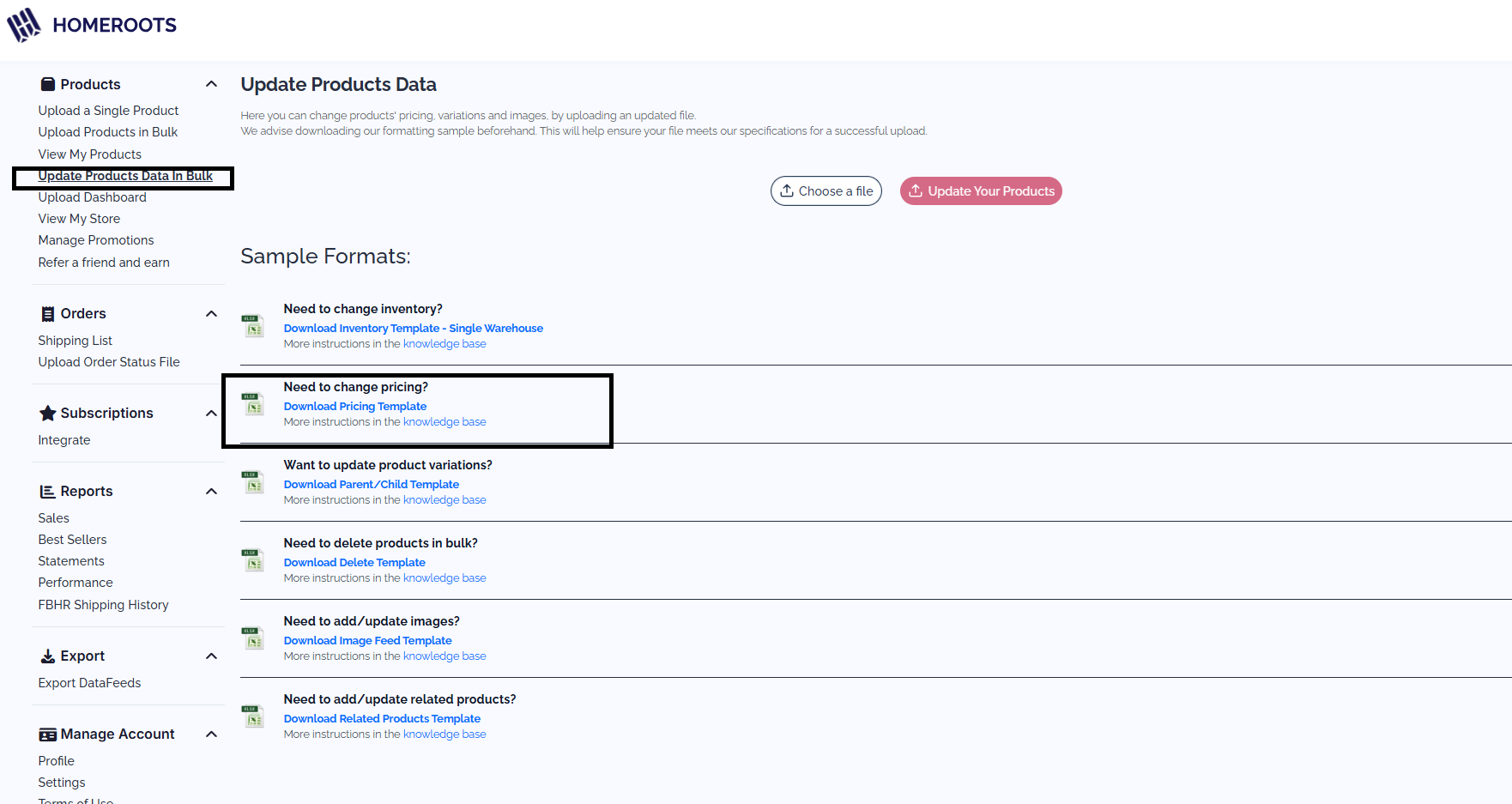
This template will download: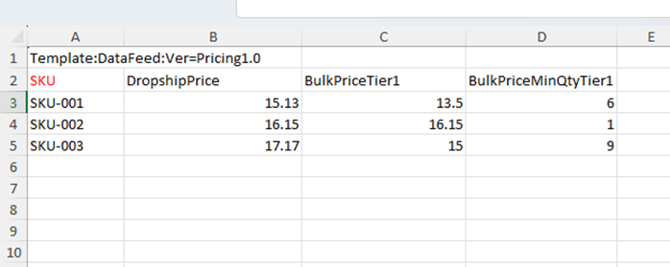
> In Column “A” enter your supplier SKU #s
> In Column “B” enter the Drop Ship Price to HomeRoots for one single order., as it is today. ** Do not leave this field blank**
> In Column “C” enter the Bulk Price- This is an option to include a lower cost to buyers buying in bulk quantities.
> In Column “D”-Bulk Min Quantity- Enter the number of units a Buyer needs to purchase to qualify for the “bulk” pricing.
- This sample shows HomeRoots is paying the supplier $16.00 for 1 unit of SKU “SKU-001”. HomeRoots will pay the supplier $13.50/unit if 6 or more units are purchased at once.
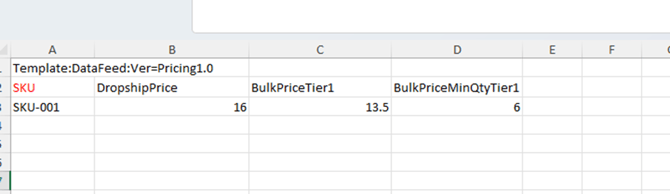
Once your template is completed- Save file as csv.
- Select “Choose File”, find your file, and upload to your portal.

Bulk Pricing will be implemented immediately to your items once uploaded.