![Copy of Copy of HR HomeRoots Logo.png]](https://kn.homeroots.co/hs-fs/hubfs/Copy%20of%20Copy%20of%20HR%20HomeRoots%20Logo.png?height=50&name=Copy%20of%20Copy%20of%20HR%20HomeRoots%20Logo.png)
1- Log in to your HomeRoots profile and click on **Data Feeds** in the left-hand sidebar


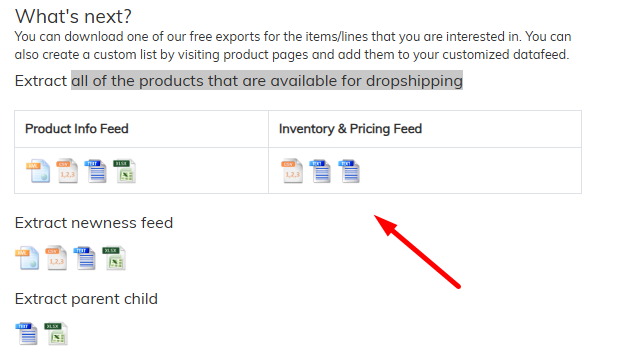
2- If you don’t have an integration set up, click **Export to File**. From there, you can export all products available for dropshipping:
Or you can choose to export the inventory file by category: